Welcome back to apkfox — today we’re stepping slightly outside our usual app roundups because it’s a big day for millions of students across Pakistan. The Federal Board of Intermediate and Secondary Education (FBISE) is announcing the SSC Part I (9th Class) and Part II (10th Class) Annual Examination 2026 results on Wednesday, July 29, 2026, at 11:15 AM.
Whether you’re a student waiting on your own result or a parent trying to check it for your kid, this guide covers exactly how to find your result the moment it’s live — plus a rundown of genuinely useful apps for whatever comes next, since that’s what we do best.

When Will FBISE Result 2026 Be Announced?
| Exam | Result Date | Time |
|---|---|---|
| SSC Part I (9th Class) | July 29, 2026 | 11:15 AM |
| SSC Part II (10th Class) | July 29, 2026 | 11:15 AM |
Both results go live simultaneously on the official FBISE website, fbise.edu.pk. Students from Islamabad, the cantonment/garrison areas, Gilgit-Baltistan, and Pakistani schools abroad who sat these exams are all covered under this announcement.
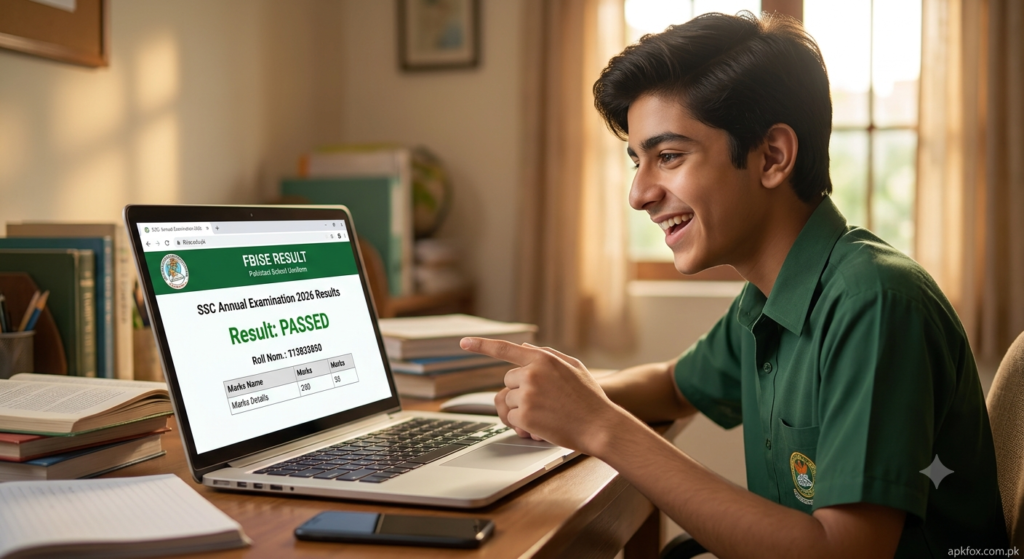
How to Check FBISE Result 2026 by Roll Number
- Visit www.fbise.edu.pk
- Click “Results 2026” in the main menu.
- Select SSC Part I or SSC Part II Annual Examination 2026.
- Enter your Roll Number.
- Click Search Result.
- Your result appears on screen instantly — download or print it for admission purposes.
Tip: Result-day traffic crashes a lot of board websites in the first hour. If the page is slow or times out, wait 10–15 minutes and try again rather than refreshing repeatedly — that just adds to the load.
How to Check FBISE Result 2026 by SMS (No Internet Needed)
- Type: FB (space) Roll Number
- Send to: 5050
- You’ll get your result back by text within a few minutes.
This is the most reliable method on result day since it doesn’t depend on the website staying up.
How to Check FBISE Result by Name (Gazette)
FBISE publishes an official Result Gazette PDF shortly after the announcement, usually within an hour.
- Download the Gazette from the official FBISE website once it’s posted.
- Press Ctrl+F (or use your phone’s PDF search) and type your name to find your entry.
This is handy if you’ve forgotten your roll number or are checking on behalf of someone else.
What to Do Right After Checking Your Result
- Double-check your details. Name, roll number, and marks — errors do happen, and it’s easier to flag them early.
- Apply for rechecking within FBISE’s announced deadline if something looks off with your marks.
- Save your provisional result card. Screenshot it and keep a printed copy — your original certificate typically arrives through your school 1–2 months later.
- Start planning your next step. 9th class students move into 10th class prep. Matric (10th class) students need to pick an intermediate program — Pre-Medical, Pre-Engineering, ICS, ICom, or FA — based on their result and interests.
Best Apps to Help After Your Result
Once the result is in, the real work — figuring out what’s next — starts. Here are the categories of apps worth having on your phone right now:
1. Result & Admission Tracking Apps
Several education platforms now push notifications for admission deadlines, merit lists, and entry test dates across Pakistani colleges and universities. Keeping one installed saves you from manually checking a dozen websites over the next few weeks.
2. Study & Exam Prep Apps
If you’re heading into 10th class or starting intermediate (FSc, ICS, ICom, FA), apps with past papers, MCQ banks, and short-topic video lessons make revision far less painful than flipping through textbooks alone. Look for ones with offline mode — useful if your internet is patchy.
3. Career Guidance & Aptitude Test Apps
Not sure whether to go Pre-Medical, Pre-Engineering, or a commerce track? Career guidance apps that offer simple aptitude quizzes can give you a reality check based on your interests and strengths rather than just following what your friends are picking.
4. Note-Taking & Organization Apps
Starting a new academic level means a fresh set of subjects, deadlines, and study schedules. A solid note-taking or planner app helps you organize from day one instead of scrambling before your first test.
5. PDF & Document Scanner Apps
You’ll be dealing with a lot of paperwork over the next few weeks — admission forms, result printouts, certificates. A reliable scanner app turns your phone camera into a document scanner so you can submit clean, properly cropped PDFs for admissions without needing a physical scanner.
We regularly cover and review apps like these on apkfox — check our Apps section for the latest picks with direct download links.
Frequently Asked Questions
Q: What time is the FBISE 2026 result announced?
A: July 29, 2026, at 11:15 AM.
Q: What’s the SMS code to check the result?
A: Send “FB [Roll Number]” to 5050.
Q: I forgot my roll number — can I still check my result?
A: Yes, use the Result Gazette PDF and search by name.
Q: When are original certificates issued?
A: Typically 1–2 months after the announcement, through your school.
Q: What’s the official FBISE website?
Q: The FBISE website is down — what do I do?
A: Use the SMS method (FB + Roll Number to 5050) as a backup, or wait and retry the website after the initial traffic surge settles.