myPPC APK Download Manage Your Electricity & Gas Bills From Your Phone
PPC Energie S.A.
1 Hour Ago
34.9 MB
V5.2.4
Android 5.0 and above
1M+

Description
If you’re a PPC Energy customer looking for a simple way to keep track of your electricity or natural gas bill without digging through paperwork or waiting on hold, the myPPC app is built exactly for that. It’s a free utility management app from PPC Energie S.A. (part of the PPC Group in Romania) that puts your entire energy account — bills, meter readings, and payments — right on your phone.
In this guide, we’ll walk through what myPPC actually does, how to get it running on your device, and what real users are saying about it, so you can decide if it’s worth installing before you download the APK from our site.
What Is myPPC?
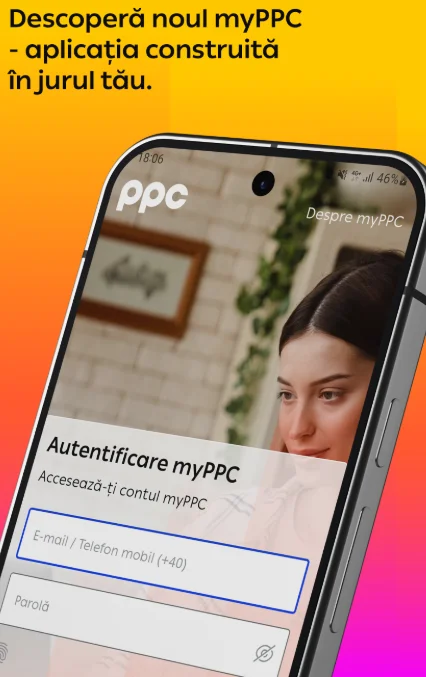
myPPC is an official account-management app for electricity and natural gas customers of PPC Energy. Instead of logging into a desktop portal or calling customer support every time you need to check something, the app lets you handle the everyday stuff — checking your balance, submitting a meter reading, or paying a bill — directly from your phone.
It’s listed on the Google Play Store under the Tools category, and it’s picked up over 1 million downloads, which tells you it’s become a go-to option for a large chunk of PPC’s customer base.
Key Features of myPPC
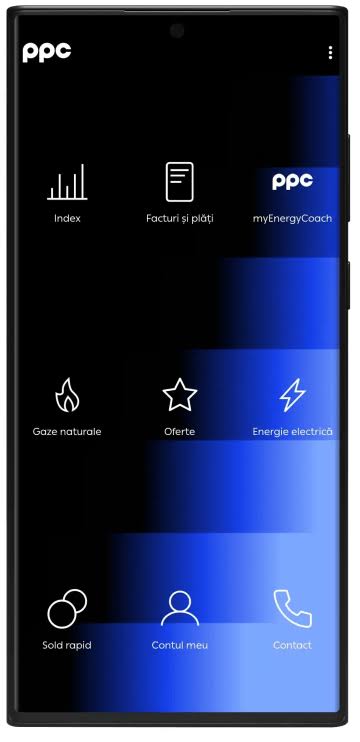
Here’s what you can actually do inside the app:
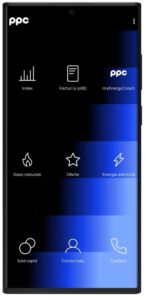
- Manage multiple consumption points – If you’ve got more than one property or contract (say, a home and a small business), you can track electricity and gas usage for all of them from a single account.
- Submit self-read meter readings – No need to wait for someone to visit or estimate your usage; you can enter your own electricity or gas meter readings directly.
- Pay bills online – Settle payments for one location or several at once, without switching to a separate banking app or website.
- Check your balance without logging in – One of the more convenient touches here — you can peek at what you owe for a specific location even before you sign into your account.
- Get support fast – There’s a built-in way to send questions or suggestions straight to the PPC support team.
How to Download and Install myPPC APK
Getting the app running on your Android device is straightforward:
- Download the myPPC APK file from apkfox.com.pk.
- On your phone, go to Settings > Security and enable Install from Unknown Sources (this step only applies if you’re installing outside the Play Store).
- Open the downloaded APK file and tap Install.
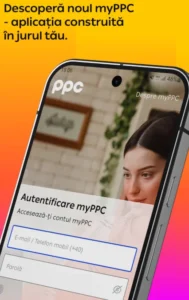
- Launch the app, register or sign in with your PPC Energy account details, and add your consumption points.
- You’re set — start checking balances, submitting readings, and paying bills.
If you’d rather install through Google Play directly, that route works too and will handle updates automatically.
Is myPPC Safe to Use?
Security is a fair thing to check before handing over utility account details. According to the app’s Play Store data safety disclosure, myPPC doesn’t share data with third parties, encrypts data in transit, and lets users request that their data be deleted. It does collect some personal information and messages as part of normal account functionality, which is expected for any app that handles billing and payments.
What Users Are Saying
myPPC currently sits at a 3.3-star rating from just over 7,000 reviews on the Play Store — a solid number of downloads, but a rating that reflects some real friction points users have reported.
A recurring complaint is around session handling: several users mention getting logged out or losing progress if they switch to another app mid-payment (for example, to copy a code from a banking app), which forces them to start over. Others have run into temporary “server communication” errors when trying to log in.
On the positive side, the PPC Energy team appears to respond to nearly every review, often pointing frustrated users toward clearing the app’s cache, re-enabling the “stay logged in” option, or using the web-based digital services portal as a backup when the app is acting up.
If you’ve had a rocky experience with the app freezing or logging you out, clearing the cache and reinstalling the latest APK version is usually the first fix worth trying before switching back to the website.
Pros and Cons at a Glance
Pros:
- Manage several properties/consumption points in one place
- Self-submit meter readings instead of waiting on estimates
- Pay bills for multiple locations in one session
- Check balances without a full login
- No data sold to third parties
Cons:
- Some users report frequent logouts or session resets
- Occasional server communication errors
- Rated 3.3/5, suggesting stability issues for a portion of users
Final Verdict
myPPC won’t win any design awards, and the session-handling complaints are worth keeping in mind, but for what it’s meant to do — give PPC Energy customers a quick way to check bills, submit readings, and pay online — it gets the core job done. If you already rely on a rotation of desktop logins and phone calls to manage your electricity or gas account, this app cuts a lot of that down to a few taps.
You can grab the latest myPPC APK for Android right here on apkfox.com.pk, or head to the Google Play Store if you’d prefer automatic updates.
Frequently Asked Questions
Is myPPC free to use?
Yes, the app is free to download and use for PPC Energy customers.
Can I use myPPC without an account?
You can check the balance for a specific consumption location without logging in, but submitting readings or paying bills requires a registered account.
Does myPPC work for both electricity and gas accounts?
Yes, it supports both electricity and natural gas consumption points under the same app.
What do I do if the app keeps logging me out?
Try clearing the app’s cache from your phone’s app settings, then reinstall and enable the “stay logged in” option when you sign back in. If problems persist, PPC’s web-based digital services portal is a reliable backup.
Who developed myPPC?
The app is developed and maintained by PPC Energie S.A., part of the PPC Group.
Images