Spotify Premium APK (2026): Features, Plans & Official Download
Description
Whether you are commuting to work, powering through a workout, or relaxing at home, music is the ultimate companion. Over the last decade, music consumption has shifted entirely toward streaming, and at the absolute forefront of this revolution is Spotify. While the platform offers a highly popular free tier, it is Spotify Premium that unlocks the true potential of the world’s largest audio streaming ecosystem.
However, the internet is flooded with misleading information. Many users search for a “Spotify Premium APK” hoping to bypass subscription fees, unknowingly putting their devices at risk of malware, data theft, and permanent account bans.
This comprehensive guide is designed to explain everything you need to know about Spotify Premium—from its core features and pricing plans to system requirements and advanced listening tips. Most importantly, we will guide you on how to download the official Spotify app safely across all your devices, ensuring a secure, high-quality listening experience.
What is Spotify Premium?
Spotify is a digital music, podcast, and video service that gives you access to millions of songs and other content from creators all over the world. Spotify Premium is the platform’s paid subscription tier, designed to remove all the limitations and friction points associated with the free, ad-supported version.
When you upgrade to a Premium account, you are not just paying to remove advertisements; you are paying for complete control over your audio experience.

Features Of Spotify Premium
Music Streaming Without Limits
The free version of Spotify restricts how you interact with music on mobile devices. You are forced into “shuffle play” mode for most playlists and albums, meaning you cannot pick exactly which track you want to hear next. Premium removes this restriction entirely. With a Premium subscription, you can tap any song, at any time, on any device, and it will play instantly.
Podcasts and Exclusive Shows
While podcasts are available to free users, Premium listeners enjoy a much smoother experience. Spotify hosts over 6 million podcast titles, ranging from true crime and daily news to exclusive interviews and tech discussions. Premium users can seamlessly download these episodes for offline listening, ensuring their favorite shows are available during long flights or subway commutes where cellular data is unavailable.
Audiobooks Integration
As of recent updates, Spotify Premium has expanded beyond music and podcasts to include audiobooks. Eligible Premium Individual and plan managers on Duo/Family accounts receive 15 hours of audiobook listening time each month from a massive subscriber catalog of over 700,000 titles. This eliminates the need for separate audiobook subscription services for moderate listeners.
Offline Downloads
Data caps and spotty cellular coverage are the enemies of streaming. Spotify Premium solves this by allowing you to download up to 10,000 songs on each of up to 5 different devices. Whether you are going off-grid for the weekend or simply want to save on mobile data, your music comes with you. Spotify has also introduced an “Offline Backup” feature, which automatically curates and saves a mix of your recently played and queued tracks, ensuring you always have something to listen to even if you forgot to download anything manually.
Ad-Free Listening
The most immediate and noticeable benefit of Spotify Premium is the complete removal of audio and banner advertisements. No more jarring commercial interruptions breaking the mood of your carefully curated study playlist or interrupting the momentum of your gym mix.
Spotify Premium Features
The value of Spotify Premium extends far beyond ad removal. The subscription introduces several technical enhancements and exclusive tools designed for audiophiles and power users.
High-Quality Lossless Audio
For years, Spotify’s standard streaming quality was capped at 160 kbps (Ogg Vorbis format) for free users and 320 kbps for Premium users. However, Spotify has recently introduced support for lossless audio for Premium subscribers. This means you can stream music in up to 24-bit/44.1 kHz FLAC format. This richer, uncompressed audio delivers a wider dynamic range, crisper highs, and deeper bass—provided you are listening on compatible headphones or speakers.
Uninterrupted Music Videos
Spotify has integrated full music videos directly into the app. Premium users can seamlessly switch between listening to the audio track and watching the official music video with a single tap. If you toggle from video back to audio, the track continues playing without missing a single beat.
Advanced Playback Control
Premium gives you unlimited skips. If a playlist throws five songs at you that you don’t want to hear, you can skip them all. You can also seamlessly queue tracks, arrange your listening order on the fly, and use the “Mix” feature, which uses algorithmic magic to create smooth, DJ-style transitions between tracks in your playlists.
Spotify Connect
While free users have limited access to Spotify Connect, Premium users get the full, unrestricted experience. Spotify Connect allows you to use your mobile device or computer as a remote control for other Spotify-enabled devices. You can start playing a song on your phone, seamlessly cast it to your PlayStation 5, smart TV, or Wi-Fi-enabled soundbar, and control the volume and playback from your wrist using an Apple Watch or WearOS device.
Spotify Premium vs Free
To make the differences clear, here is a detailed breakdown of what separates the Free tier from the Premium experience.
| Feature | Spotify Free | Spotify Premium |
| Audio Advertisements | Yes (Every few songs) | No (Completely ad-free) |
| Mobile Playback | Shuffle-only (mostly) | Fully on-demand |
| Track Skips | Limited to 6 per hour | Unlimited |
| Audio Quality | Up to 160 kbps | Up to 24-bit/44.1 kHz Lossless |
| Offline Listening | No (Podcasts only) | Yes (10,000 tracks / 5 devices) |
| Audiobooks | Pay per book | 15 hours included per month |
| Music Videos | No | Yes (Uninterrupted) |
| Spotify Connect | Limited | Full access |
| Live Concert Tickets | Standard access | Exclusive pre-sale access |
| Offline Backup | No | Yes (Auto-saves recent tracks) |

How to Download Spotify Officially
A massive concern in the Android community is the search for a “Spotify Premium APK.” These are modified, pirated versions of the Spotify app that claim to offer Premium features for free. You must avoid these at all costs.
Spotify’s Premium validation happens on their servers (server-side authentication). A modified APK cannot magically grant you high-quality lossless audio or server-side offline downloads—it simply hides the UI elements for ads. Furthermore, downloading APKs from unofficial third-party sites exposes you to aggressive malware, spyware, and immediate account termination by Spotify’s anti-piracy algorithms.
To ensure your data is safe and your app functions correctly, only download Spotify from official sources.
Downloading Spotfiy apk on Android
- Open the Google Play Store on your Android smartphone or tablet.
- Tap the search bar and type “Spotify”.
- Look for the official app developed by Spotify AB.
- Tap Install.
- Once downloaded, open the app, log in, and navigate to the “Premium” tab at the bottom right of the screen to upgrade your account safely.
Steps to download on iPhone / iPad (iOS)
- Open the Apple App Store.
- Tap the search icon and search for “Spotify”.
- Ensure the developer is listed as Spotify.
- Tap Get and authenticate with Face ID, Touch ID, or your Apple ID password.
- Launch the app and sign in. (Note: Due to App Store billing policies, you may need to upgrade to Premium via your mobile browser at spotify.com rather than directly inside the iOS app).
How to download Spotify on Windows PC
For Windows users, you have two safe options:
- The Microsoft Store: Open the Microsoft Store app on your Windows 10 or Windows 11 PC, search for Spotify, and click “Install”. This ensures automatic, silent background updates.
- Spotify Direct Installer: Visit the official Spotify website (
[spotify.com/download](https://spotify.com/download)), and download the.exeinstaller directly from their secure servers.
Downloading on macOS
- Open your Safari or Chrome browser and go to
[spotify.com/download](https://spotify.com/download). - Click the Download for Mac button.
- Once the
Install Spotify.appfile is downloaded, open your Downloads folder and double-click the file to begin the installation. - Drag the Spotify icon into your Applications folder when prompted.
Spotify Premium Plans
Spotify does not believe in a one-size-fits-all approach. They offer several distinct subscription tiers designed for solo listeners, couples, families, and students.
Note: Pricing varies significantly by region. The prices below reflect standard 2026 US pricing and standard Pakistani (PKR) pricing for context. Always check the official Spotify website for the exact pricing in your local currency.
1. Premium Individual
- Best For: Solo listeners.
- Global Price: $12.99 / month
- Pakistan Price: Rs 379 / month
- What you get: 1 Premium account, ad-free listening, offline downloads, lossless audio, and 15 hours of audiobook listening.
2. Premium Duo
- Best For: Couples or roommates living under the same roof.
- Global Price: $18.99 / month
- Pakistan Price: Rs 519 / month
- What you get: 2 separate Premium accounts under one billing cycle. You retain your own separate algorithms and playlists. Includes “Duo Mix,” a dynamically updated playlist combining the tastes of both members. (Note: Spotify verifies address alignment for this plan.)
3. Premium Family
- Best For: Households with multiple listeners, including young children.
- Global Price: $21.99 / month
- Pakistan Price: Rs 679 / month
- What you get: Up to 6 independent Premium accounts. The plan manager gets 15 hours of audiobook listening. Crucially, this plan includes robust Parental Controls, allowing the manager to block explicit content for younger members and set up managed accounts for children under 13 (Spotify Kids).
4. Premium Student
- Best For: Enrolled university/college students.
- Global Price: $6.99 / month
- Pakistan Price: Rs 199 / month
- What you get: All the benefits of an Individual plan at a steeply discounted rate. You must verify your enrollment status using a service like SheerID. The discount is valid for up to 4 years.
Spotify Web Player
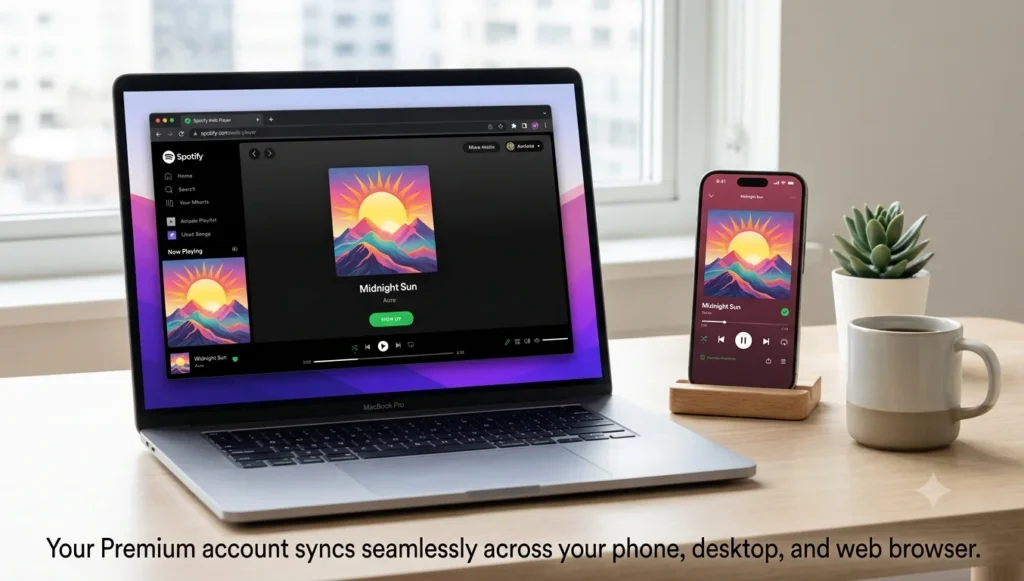
If you are using a work computer where you do not have administrator rights to install applications, or if you simply prefer keeping your desktop clean, the Spotify Web Player is a phenomenal alternative.
How to Access the Web Player
Simply open any modern web browser (Google Chrome, Mozilla Firefox, Microsoft Edge, or Safari) and navigate to open.spotify.com. Log in with your credentials, and you will be greeted by an interface that is virtually identical to the desktop application.
Advantages of the Web Player
- No Installation Required: Consumes zero hard drive space and bypasses corporate firewall restrictions that block
.exeinstallations. - Universal Compatibility: Works seamlessly across Windows, macOS, Linux, and ChromeOS.
- Instant Updates: Because it is web-based, you are always using the most up-to-date version of Spotify’s interface without needing to download patches.
Limitations of the Web Player
- Audio Quality: The web player currently caps out at a lower bitrate (usually 256 kbps AAC for Premium users) compared to the lossless audio available on the dedicated desktop and mobile apps.
- No Offline Listening: Browsers do not support downloading thousands of encrypted music files to your hard drive. If you lose your internet connection, the web player stops working.
Spotify Desktop App
For the ultimate home listening experience, the official Spotify Desktop App is the gold standard.
Why Choose the Desktop App?
- Local Files Integration: If you have an extensive collection of downloaded MP3s, FLAC files, or mixtapes not available on streaming services, the desktop app allows you to import “Local Files.” You can blend your personal hard drive music with Spotify’s streaming library into unified playlists.
- Keyboard Shortcuts: Power users can navigate their entire library using hotkeys (e.g., Space to pause, Ctrl/Cmd + Right Arrow to skip).
- Hardware Acceleration: The desktop app utilizes your computer’s hardware for smoother scrolling and interface rendering.
- Full Offline Support: Unlike the web player, the desktop app allows you to download massive playlists directly to your PC or Mac for offline listening.
System Requirements
Before downloading the app, ensure your device meets the official system requirements to guarantee smooth playback and app stability.
| Platform | Minimum Operating System | Additional Requirements |
| Android | Android 5.0 (Lollipop) or higher | Recommended: 1GB+ free storage for app data. |
| iOS (iPhone/iPad) | iOS 14.0 or iPadOS 14.0 or higher | Compatible with Apple Watch running watchOS 7.0+. |
| Windows PC | Windows 10 (64-bit) or Windows 11 | Minimum 250MB storage space for installation. |
| Mac (macOS) | macOS 11.0 (Big Sur) or higher | Native support for both Intel and Apple Silicon (M1/M2/M3) chips. |
| Web Browser | Chrome, Firefox, Edge, Safari | Cookies and JavaScript must be enabled. DRM playback support. |
(For more app recommendations, explore our Apps section.)
Privacy and Security
When dealing with a service you use daily, security is paramount. Here is how to keep your Spotify account safe and why unofficial downloads are a massive threat.
The Danger of Unofficial Modded Apps
As mentioned earlier, websites offering a “Spotify Premium APK Mod” are exploiting user trust.
- Account Bans: Spotify actively scans accounts for unnatural API requests. If they detect you are using a modded app to bypass ads, they will suspend or permanently ban your account. You will lose all your saved music, carefully crafted playlists, and algorithmic history.
- Malware Payloads: Third-party APKs are frequently injected with background malware that can steal banking credentials, hijack your device for crypto-mining, or intercept 2FA SMS codes.
Best Security Practices for Spotify
- Official Downloads Only: Always stick to the Google Play Store, Apple App Store, or Spotify.com.
- Use Strong Passwords: If you don’t use Google or Apple single sign-on (SSO), ensure your Spotify password is long, unique, and stored in a secure password manager.
- Review Connected Apps: Periodically check your Spotify account settings on the web and click “Apps.” Remove access for any third-party services (like old playlist generators or discord integrations) that you no longer use.
- Log Out Everywhere: If you suspect your account is compromised (e.g., strange music appearing in your history), use the “Sign out everywhere” button in your account overview and immediately change your password.
Tips for a Better Spotify Experience
Once you have Spotify Premium officially installed, use these power-user tips to elevate your listening:
- Adjust Audio Quality: Don’t let your lossless audio go to waste. Go to Settings > Audio Quality and set your Wi-Fi streaming to “Maximum” or “Lossless”. You can keep cellular streaming at “Normal” to save data.
- Enable Crossfade: Want a continuous, DJ-like mix? Go to Settings > Playback and turn on Crossfade. Setting it to 3–5 seconds creates a seamless blend between the end of one song and the beginning of the next.
- Use Smart Shuffle: If a playlist is feeling stale, tap the shuffle button twice to activate “Smart Shuffle.” Spotify will temporarily inject recommended songs that perfectly match the vibe of your current list.
- Start a Jam (Listening Party): Premium users can start a “Jam.” This feature allows you to invite friends (via a link or Bluetooth) to a shared queue. Everyone can add songs from their own phones in real-time—perfect for road trips or house parties.
- Recover Deleted Playlists: Accidentally deleted your favorite workout mix? Log into your account on the Spotify website, go to “Recover playlists,” and restore it with one click. Spotify saves deleted playlists for 90 days.
Frequently Asked Questions
1. Does Spotify Premium offer a free trial?
Yes! If you have never had a Premium account before, Spotify frequently offers a 1-month (and sometimes 3-month) free trial for new users. You must enter a valid payment method, but you can cancel before the trial ends to avoid being charged.
2. Is it safe to download a “Spotify Premium APK” to get free features?
No. Modded APKs are highly dangerous. They violate Spotify’s terms of service resulting in permanent account bans, and they are notorious for carrying malware that compromises your phone’s security. Always download from official app stores.
3. Do I lose my playlists if I cancel Premium and go back to Free?
No. Your playlists, followers, and saved albums remain intact. However, you will lose the ability to listen to them ad-free, play them completely on-demand on mobile, and any downloaded tracks will be removed from your device.
4. How does the Spotify Premium Student discount work?
Eligible university and college students receive a massive discount (over 50% off) for up to 4 years. Spotify uses a third-party verification service (like SheerID) to confirm you are actively enrolled in an accredited institution.
5. What is the offline download limit?
Premium users can download up to 10,000 tracks per device on a maximum of 5 different devices.
6. Do I need Wi-Fi to listen to downloaded songs?
No. Once the songs are fully downloaded (indicated by a green arrow), you can listen to them entirely without Wi-Fi or cellular data. However, you must connect to the internet at least once every 30 days so Spotify can verify your active Premium subscription.
7. What happens if I move to a different country?
If you have Premium, you can travel abroad with your music indefinitely. If you permanently move, you will need to update your payment method to one issued in your new country to reflect local subscription pricing.
8. Does Spotify Premium Duo/Family require us to live together?
Yes. Spotify’s terms state that Duo and Family plan members must reside at the same physical address. Spotify will ask you to input an address upon sign-up, and invited members must confirm the same address.
9. How do I switch my Premium plan?
You can easily switch plans (e.g., from Individual to Family) by logging into your account via a web browser (spotify.com/account), navigating to “Manage your plan,” and selecting “Change plan”.
10. Can I listen to Audiobooks on Spotify Premium?
Yes. Individual Premium subscribers and the plan managers of Duo/Family accounts get 15 hours of audiobook listening time each month from a massive subscriber catalog.

Conclusion
Spotify Premium stands as the definitive way to experience music and audio content in the modern digital age. The combination of its massive 100-million-plus track library, brilliant algorithmic recommendations, offline flexibility, and seamless multi-device control via Spotify Connect makes the subscription price incredibly worthwhile for daily listeners.
While the temptation to search for workarounds or modified APKs exists, the risks of malware and permanent account bans simply aren’t worth it. By choosing an official subscription plan—whether that’s Individual, Duo, Family, or Student—you ensure a secure, high-fidelity, and uninterrupted audio experience.
Ready to upgrade your listening? Head to your device’s official app store, download the verified Spotify app, and unlock a world of music tailored exactly to your tastes.